Kids Puzzle Laser Cut Template: A Practical Guide for Makers and Educators
For creators, educators, and small business owners working with laser cutting technology, the Kids Puzzle Laser Cut Template offers a versatile and efficient way to produce engaging, reusable educational tools. Whether you're designing for a classroom, a craft workshop, or a product line, this digital template set provides a structured yet flexible foundation for making custom puzzles tailored to children’s developmental needs and creative interests.
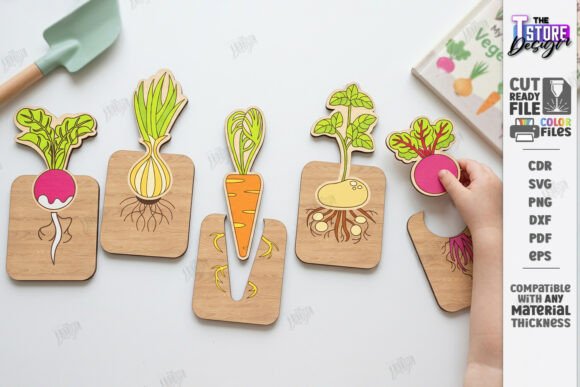
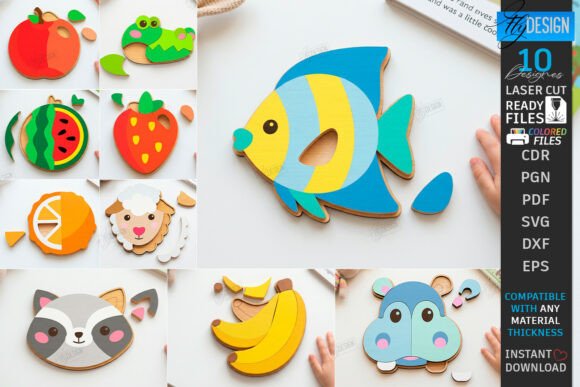
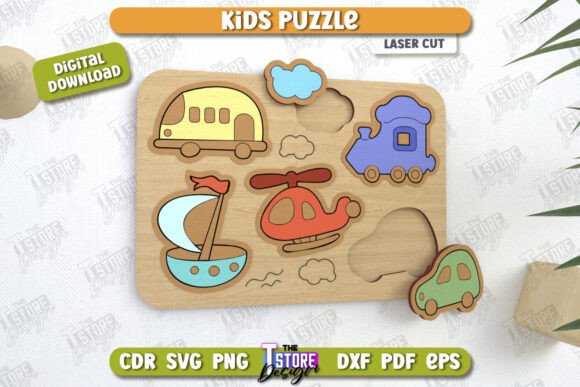
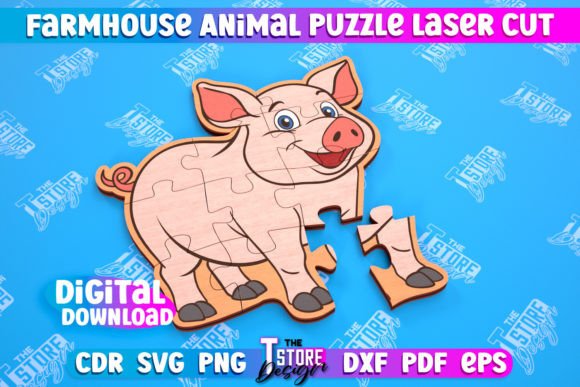
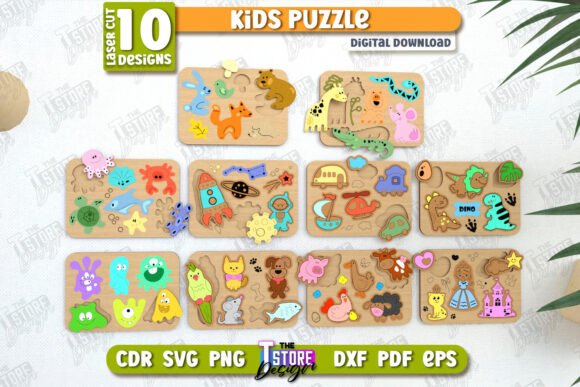
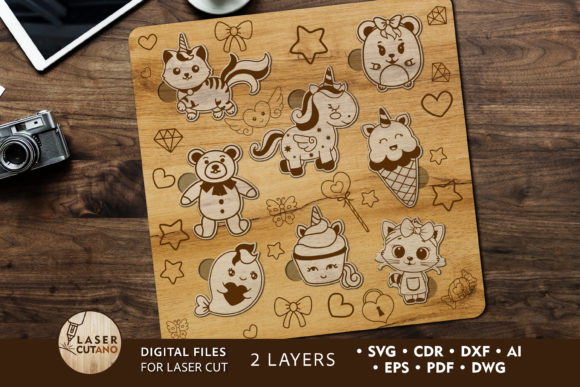
The Kids Puzzle Laser Cut Template is a downloadable package containing multilayer layout files in multiple formats—including SVG, DXF, AI, and PDF—designed specifically for laser cutters, CNC routers, and other digital fabrication tools. The set includes eight distinct puzzle designs, each with two layers, allowing for interactive and tactile learning experiences. These templates are not just design files; they're a workflow-ready resource that bridges digital planning with physical production.
How the Kids Puzzle Laser Cut Template Fits Into a Larger Workflow
Before diving into the actual cutting process, the Kids Puzzle Laser Cut Template plays a crucial role in project planning. Designers can import the files into vector editing software such as Adobe Illustrator, CorelDRAW, or Inkscape to adjust size, layer arrangement, or labeling before sending to the machine. This step ensures that the final product aligns with the intended material thickness, design complexity, and educational purpose.
During the fabrication phase, the template's multilayer structure allows for precision cutting and easy assembly. Each layer is designed to be glued together after cutting and painting, which means the order of operations matters. It’s recommended to paint each layer before assembly to maintain clean lines and avoid smudges. This approach supports a more efficient workflow, especially when producing in batches.
After fabrication, the puzzles can be integrated into various use cases—educational tools for preschools, promotional items for small businesses, or personalized gifts for events. The flexibility of the template allows for customization, ensuring that each final product serves its intended audience effectively.
Compatibility and Material Considerations
The Kids Puzzle Laser Cut Template is engineered for compatibility with a wide range of materials, including plywood, MDF, acrylic, plexiglas, metal, cardboard, and paper. However, the recommended material thickness for wood is between 3–6 mm, ensuring structural integrity without compromising the intricacy of the puzzle pieces.
- Plywood and MDF: Ideal for durability and a natural finish, especially suitable for classroom use.
- Acrylic and Plexiglas: Offer a modern, translucent look, great for decorative or sensory-focused puzzles.
- Cardboard and Paper: Cost-effective for prototypes or short-term use, such as event giveaways or classroom trials.
When scaling the design, it's important to consider how resizing affects thin elements in the design. Enlarging is generally safe, but reducing the size may require adjustments to ensure pieces remain functional and easy to handle, especially for younger children.
Practical Tips for Implementation
Integrating the Kids Puzzle Laser Cut Template into your production process requires attention to detail at each stage. Here are some actionable steps to ensure smooth execution:
- File Preparation: Unzip the downloaded .zip folder and open the preferred file format in your design software. Check alignment and layer structure before any modifications.
- Test Cuts: Before committing to a full batch, perform a test cut on scrap material to verify fit, detail, and ease of assembly.
- Batch Production: If producing multiple puzzles, organize your workflow by cutting all layers first, then moving to painting and assembly to maximize efficiency.
- Labeling and Organization: Use the labeling features included in the design to keep track of layers and puzzle sets, especially when producing multiple designs or variations.
- Quality Control: After assembly, inspect each puzzle for sharp edges, glue residue, or misaligned pieces to ensure safety and usability.
Integration with Other Tools and Platforms
The Kids Puzzle Laser Cut Template works seamlessly with common design and manufacturing platforms. Whether you're using Adobe Illustrator for customization or a laser cutting software like LightBurn or RDWorks, the vector-based files maintain clarity and precision across tools. This compatibility makes it easy to integrate into existing digital workflows, especially for those already using laser cutting in product development or educational content creation.
For educators or small business owners managing inventory or sales, these templates can be paired with project management tools like Trello or Asana to track design iterations, production timelines, and customer orders. Additionally, if you're selling finished puzzles online, you can use the design files to generate product mockups or marketing visuals in platforms like Canva or Photoshop.
Use Cases Across Industries
The versatility of the Kids Puzzle Laser Cut Template makes it applicable across multiple fields:
- Education: Teachers and curriculum designers can create tactile learning aids that reinforce cognitive development, shape recognition, and motor skills.
- Craft and DIY: Hobbyists and makers can produce custom puzzles for personal use or to sell at craft fairs and online marketplaces like Etsy.
- Marketing and Branding: Small businesses can brand and distribute puzzles as promotional items or educational tools that align with their mission or product line.
- Therapeutic Use: Occupational therapists can customize puzzles to suit specific developmental needs, using them as tools for sensory or motor skill development.
Maintaining Consistency and Quality
To ensure long-term usability and consistent results, it's important to maintain a standardized workflow when using the Kids Puzzle Laser Cut Template. This includes keeping digital files organized, maintaining cutting machine calibration, and documenting any adjustments made during the production process.
Consistency is especially important if you plan to produce puzzles regularly or at scale. Establishing a repeatable process—from file setup to final assembly—helps reduce errors and increases efficiency over time. Additionally, keeping a backup of original files ensures that you can always return to a clean version if needed.
Final Thoughts
The Kids Puzzle Laser Cut Template is more than just a downloadable design—it's a practical, scalable solution for creators, educators, and entrepreneurs looking to produce high-quality, educational puzzles efficiently. By integrating these digital files into your existing workflow, you can streamline production, reduce design time, and deliver meaningful, hands-on experiences to children. Whether you're crafting for a classroom, a small business, or personal projects, this template set offers a solid foundation for bringing creative ideas to life with precision and ease.